


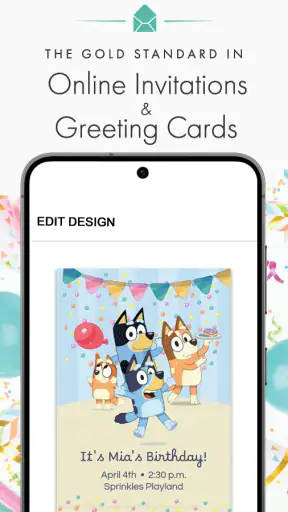
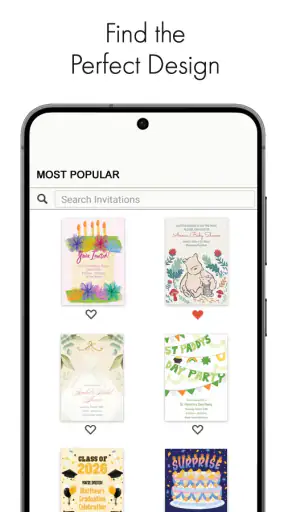
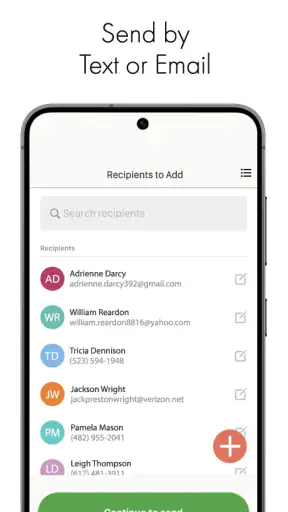
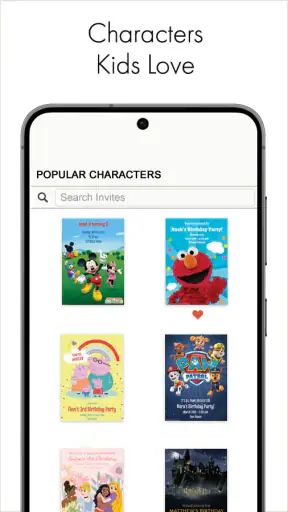
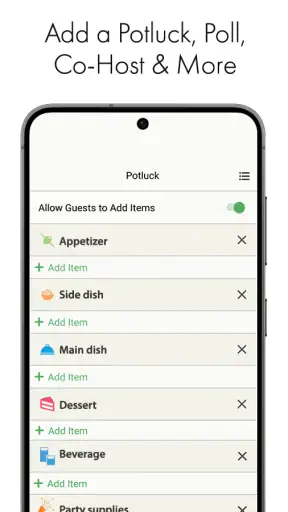
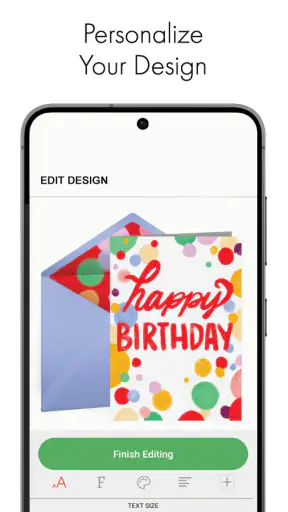
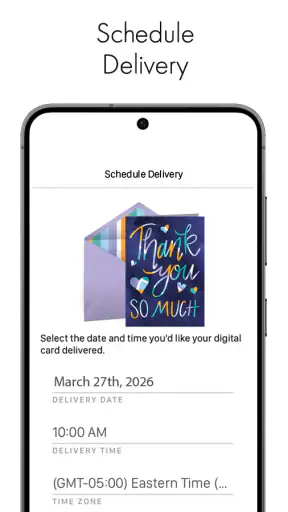
When I need to organize a small celebration quickly, I usually do not want to build a full event website or search through old message threads. I want something that helps me make a clear invitation, send it from my phone, and move on with the rest of the planning. That is where Punchbowl: Invites & eCards makes sense. It is a free lifestyle app from Punchbowl focused on creating and sending invitations and electronic cards while you are away from a computer.
After spending time with it, I see its main value less as a complete party-management system and more as a practical communication shortcut. The important capability is the ability to prepare a polished invitation or eCard in the same place, without treating a casual birthday, family gathering, or thank-you message like a major production. That narrow focus is also its strength: the app is useful when the message itself matters, but the event does not justify complicated planning software.
Its audience is broad. The app is rated for Everyone, works on Android devices running at least version 5.0, and is listed as free to install. Punchbowl has built a sizable audience around it, with over a million installs, an average rating of 4.8 from roughly 15 thousand ratings, and about 6 thousand written reviews. Those figures do not replace personal testing, but they do suggest that the basic invitation workflow is easy for many people to understand.
Why the invitation-and-eCard combination matters
The most useful idea here is not simply “send an invitation from a phone.” Plenty of messaging apps can do that informally. The difference is that Punchbowl gives the communication a more deliberate shape. An invitation feels like an invitation, while an eCard feels like a separate occasion-based message. That distinction helps when I want to give a gathering some identity instead of dropping a sentence into a group chat.
For example, a group message saying “Come over Saturday” may be enough for close friends, but it can become unclear when several conversations are active. A dedicated invitation gives the event a recognizable point of reference. Guests can return to the original message rather than scrolling through unrelated replies. For a family celebration involving people who do not all know each other, that small improvement in clarity can prevent avoidable confusion.
The eCard side is valuable for a different reason. A card is not trying to coordinate attendance; it is trying to mark a feeling or occasion. Keeping invitations and cards together means I can use the same app for a birthday invitation one week and a personal greeting the next. I would not call that a complete social-planning ecosystem, but it is a convenient pairing for someone who regularly sends both types of message.
The practical benefit is reduced friction between deciding to send something and actually sending it. When an idea is still fresh, a phone-based workflow is more likely to happen immediately. I do not have to remember to sit down at a desktop later, and I am less tempted to send a rushed plain-text message simply because it is available first.
What the app changes in everyday communication
I found the app most convincing for occasions that need a little presentation but not a formal event service. Think of a child’s birthday, a casual dinner, a graduation get-together, a holiday visit, or a friendly note sent to someone who deserves more than a generic emoji. In these situations, the visual format helps communicate effort without forcing me to spend an evening designing something from scratch.
That does not mean every event needs it. If I am asking two friends to meet for coffee in an hour, a normal message is faster. Punchbowl becomes worthwhile when the recipient needs a clear occasion, a more thoughtful presentation, or a message that should remain easy to find. The app works best when I treat it as a focused publishing tool for personal occasions rather than as another inbox.
How I use it in practice
The basic workflow is straightforward: I choose whether I am preparing an invitation or an eCard, shape the message around the occasion, review the result, and send it. The phone-first design matters because the decisions are usually simple. I am not trying to create a complex campaign; I am choosing the right kind of communication and making it feel intentional.
My first practical tip is to decide the purpose before choosing a design. If guests need to understand an event, I think about the information they will look for first: what is happening, when it is happening, and where they should go. If the goal is a personal greeting, I focus instead on the tone and the recipient. This sounds obvious, but separating those jobs prevents an invitation from becoming overly decorative or an eCard from reading like an event notice.
A second useful habit is to draft the wording before spending time on appearance. On a phone, it is easy to concentrate on the visual presentation and then discover that the essential details are buried in a long message. I prefer writing a short, direct version first, then adjusting the presentation around it. This makes the final invitation easier to scan and reduces the chance that an important detail gets lost.
I also recommend reviewing the message as a recipient would see it, not as its creator. Ask whether the occasion is immediately clear, whether the wording sounds natural, and whether someone could understand the invitation without asking a follow-up question. This is especially important when sending to a mixed group of relatives, neighbors, and friends who may not share the same assumptions about the event.
The mobile format is a genuine advantage when inspiration arrives at an inconvenient time. I can prepare a card while commuting, waiting for an appointment, or standing in a shop choosing supplies. I would still proofread before sending, because small-screen editing makes it easy to overlook an awkward phrase. The convenience encourages speed, but speed should not replace a final check.
A realistic birthday workflow
Imagine I am arranging a birthday gathering at home. I could send separate messages to relatives, create a group chat, and repeat the date whenever somebody asks. That approach costs nothing, but it spreads the information across a conversation and makes the invitation feel improvised. With Punchbowl, I can prepare one dedicated invitation, give it a clear purpose, and send it to the people who need it.
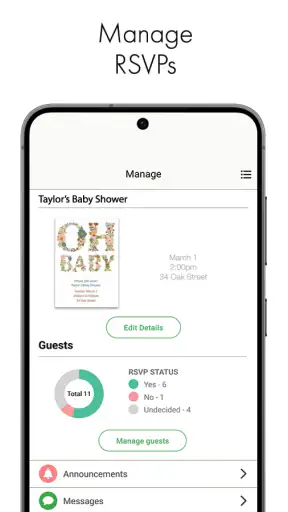
The useful trade-off is that the invitation becomes the shared reference point. I can keep the wording concise and make the occasion recognizable at a glance. If a guest later asks what the gathering is for, I can point back to the invitation rather than reconstructing the details from memory. This is not the same as having a full RSVP dashboard or a detailed guest-management system, and I would not choose it expecting professional event administration. For a modest home celebration, though, the structure is often enough.
After sending the invitation, I would use ordinary messaging for last-minute changes or personal questions. That division of labor is important. Punchbowl handles the polished initial announcement; a chat app remains better for rapid back-and-forth. Trying to make one tool do both jobs can create unnecessary work, so I see the app as the starting point of communication rather than the entire conversation.
The same thinking applies to an eCard. I would choose it when the recipient deserves a more considered greeting than a short text, then write something personal rather than relying entirely on presentation. The design can make the message feel special, but it cannot supply the personal meaning. In my experience, the strongest result comes from using the app’s format to support a genuine sentence or memory, not from treating decoration as a substitute for thought.
Small workflows that make it more useful
One less obvious strength is that the app can help separate social roles. An invitation is public-facing within a selected group, while an eCard is usually more personal. Keeping those intentions distinct helps me avoid sending a party announcement that sounds like a private greeting, or a sentimental card that gets lost among logistical messages.
Another insight is that the app is useful for people who are often the informal organizer. The person who normally reminds everyone about family occasions can create a more consistent starting point instead of rewriting the same details for each contact. This does not eliminate planning, but it reduces repetitive typing and makes the initial communication easier to recognize.
A third tip is to use the app before the event becomes urgent. When I wait until the last minute, I am more likely to choose a plain message because it is immediate. Preparing the invitation while the date is still flexible gives me time to check the wording and make sure the event details are complete. The app’s convenience is most valuable when it supports a calm workflow, not when it is used to rescue disorganized planning.
There is also a useful boundary to keep in mind: the app’s convenience depends on the recipient being comfortable receiving this kind of invitation or card. Some people prefer a direct text, especially for very informal plans. I would not send a formal-looking invitation for every small interaction. Matching the format to the relationship is part of using the tool well.
Where the experience has limits
The first limitation is scope. Punchbowl is centered on invitations and eCards, not on replacing every tool involved in an event. If I need detailed task assignments, budget tracking, extensive guest coordination, or a long discussion about changing plans, I would use a dedicated planning service or a messaging platform alongside it. The app can make the first announcement clearer, but it should not be mistaken for a complete event-control center.
There is also a difference between a polished invitation and a genuinely useful one. A visually attractive message can still be inconvenient if the wording is vague. I sometimes found myself thinking more carefully about what recipients actually need than I would when sending a text. That is a positive discipline, but it means the app does not remove the responsibility of being a clear host.
The free entry point is appealing, although the presence of in-app purchases means not every part of the experience should be assumed to be included without cost. The listed purchase range runs from $5.99 to $84.99 per item. I would approach optional spending carefully and decide first whether the free workflow already meets the occasion. For a simple invitation or greeting, paying is difficult to justify unless a particular premium choice genuinely matters to me.
That pricing structure may matter more to frequent users than to someone sending one occasional card. A person who wants a large library of highly distinctive designs or regularly prepares invitations may consider optional purchases part of the value calculation. Someone who only needs a quick birthday message should compare the convenience against the possibility of spending more than planned. I appreciate having a free way to start, but I would not browse purchase options casually without a clear limit.
The app also requires a little more effort than a normal chat message. That is the point of using it, but it remains a trade-off. If the recipient only needs a time and a place, a text can be more efficient. Punchbowl earns its place when presentation, occasion, or clarity is worth that extra step.
Compared with social media event tools, it feels more personal and less dependent on a public feed. Compared with group chats, it gives the initial message a cleaner identity but is less suitable for ongoing conversation. Compared with traditional email invitations, it is better suited to mobile, informal occasions, while email may remain preferable for people who expect a formal written record. The right choice depends on whether the priority is speed, discussion, formality, or presentation.
Who should use it and who should skip it
I would recommend it to someone who frequently organizes small gatherings and wants invitations that look more intentional than a text. It is also a good fit for people who send personal greetings from their phone but do not want to search for a separate card-focused service. Parents, relatives who coordinate family occasions, and friends who enjoy adding a bit of ceremony to casual plans are likely to get the most from it.
It is particularly useful for a person who dislikes desktop design tools. The phone-based approach lowers the barrier to creating something presentable, and the free starting point makes experimentation less intimidating. The app is also approachable for recipients because the message is tied to a recognizable occasion rather than buried in a busy conversation.
I would skip it when the event is extremely casual, time-sensitive, or dependent on constant discussion. A quick meal change, spontaneous outing, or small group decision is usually better handled in a chat. I would also look elsewhere for conferences, weddings with complex guest requirements, or events involving detailed schedules and responsibilities. In those cases, specialized planning tools provide more control than this focused lifestyle app.
People who dislike optional purchase models should also decide in advance how much they are willing to spend. The app is free, but the availability of in-app purchases means the experience can invite comparison between included and paid choices. My advice is simple: start with the free path, create the actual message, and only consider spending if the result solves a specific problem rather than merely adding novelty.
My final take after using it
Punchbowl succeeds because it concentrates on a small but common need: making personal invitations and greetings feel more deliberate without requiring a computer or a complicated service. I like the way the invitation and eCard functions serve different communication purposes while remaining together in one lifestyle app. The result is most useful when I want to send something now, but I also want it to look and read like I gave the occasion some thought.
Its weaknesses are equally clear. It is not a replacement for group conversation, detailed event planning, or every kind of digital card service. The extra presentation is unnecessary for very casual plans, and optional purchases deserve attention before they become part of the workflow. Those limitations do not undermine the app; they define where it belongs.
The current version is 4.2.4, and the app has been available since October 30, 2015, giving it a long presence in this particular corner of mobile communication. I would recommend trying it for one realistic occasion rather than committing to it for everything. Create an invitation for a small gathering or send an eCard to someone you genuinely want to reach, then judge whether the added structure feels helpful.
For me, the answer is yes when the message needs to stand apart from everyday chat. Punchbowl is at its best as a quick, personal presentation layer for life’s smaller occasions: more thoughtful than a rushed text, less demanding than a full event platform, and practical enough to use directly from a phone.


